Installation & Activation
VTScada is distributed as a single installation file that includes all development tools, alarm management, the built-in historian, etc. Your license key, a 25-character code, controls which features are enabled. Following installation, click the License Management icon in the VTScada Application Manager to discover what is enabled under your license.
Topics covered in this section:
- Licensing - Features enabled by your license key.
- Requirements - Hardware requirements for small, medium or large installations, and for various VTScada features.
- Installation - Decisions to make as part of the installation process.
- About - Where to find the "About" dialog, which will tell you about your VTScada license. See also, App. Config -> Information.
- Moving to the Current Version - Provides instructions for updating to the current version of VTScada and draws your attention to changes that may affect your system. (New features are listed in What's New...)
An Installation ID is new with version 12.1. Every VTScada license is matched to the machine where it is activated and cannot be activated on a second workstation. Refer to Activation & Deactivation, within this section.
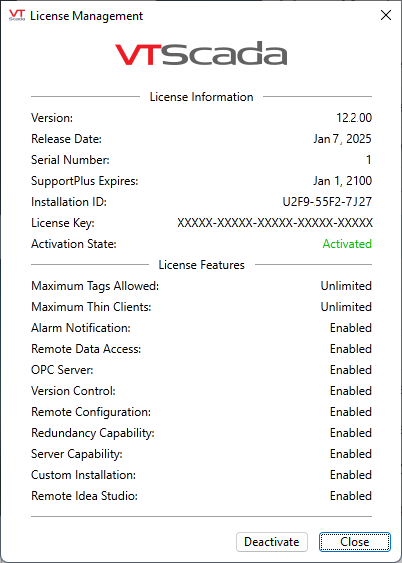
The License Management dialog
VTScada logo images are protected. VTScada will not start if you remove or modify those files. Reinstall VTScada to restore the original images if you disregard this warning.
Disable Windows Controls (Kiosk Installations)
VTScada cannot disable access to Windows controls (file menu, close, minimize...) or keyboard commands (Ctrl-Esc, Alt-Tab, and Ctrl-Alt-Delete). This could be accomplished with a Windows logon script. Refer to:
https://docs.microsoft.com/en-us/windows/configuration/kiosk-single-app
